Getting started
Your first successful cap-evolve run, in two minutes, with no API key. Clone, install the core, run the toy example, open the dashboard.
Python 3.10+ and git. That's it — the toy run calls no model and needs no credentials.
Clone and enter
git clone https://github.com/skillberry-ai/cap-evolve.git
cd cap-evolve
Create a clean environment and install the core
python3 -m venv .venv && source .venv/bin/activate
pip install ./core          # package: cap-evolve-core · CLI: cap-evolve · zero runtime deps
cap-evolve version          # verify
If your default pip index requires auth, append
--index-url https://pypi.org/simple.
Run the zero-API toy example
toy_calc is a deterministic stand-in agent that only answers correctly when its
system prompt contains a [CALC] marker. The mock optimizer adds the
marker, so the score provably rises — no model is called.
bash examples/toy_calc/run.shWhat you saw
The seed prompt scores 0.0 on val; the optimized prompt clears the acceptance
gate and scores 1.0 on the sealed test split:
baseline_val 0.0 -> test_reward 1.0 (gate-accepted, test sealed) + dashboard.html
This is exactly what core/tests/test_e2e_slice.py asserts. The script prints a
working directory; open the dashboard.html it writes in any browser to see the
run — KPIs, per-iteration diffs, and the tasks × iterations heatmap.
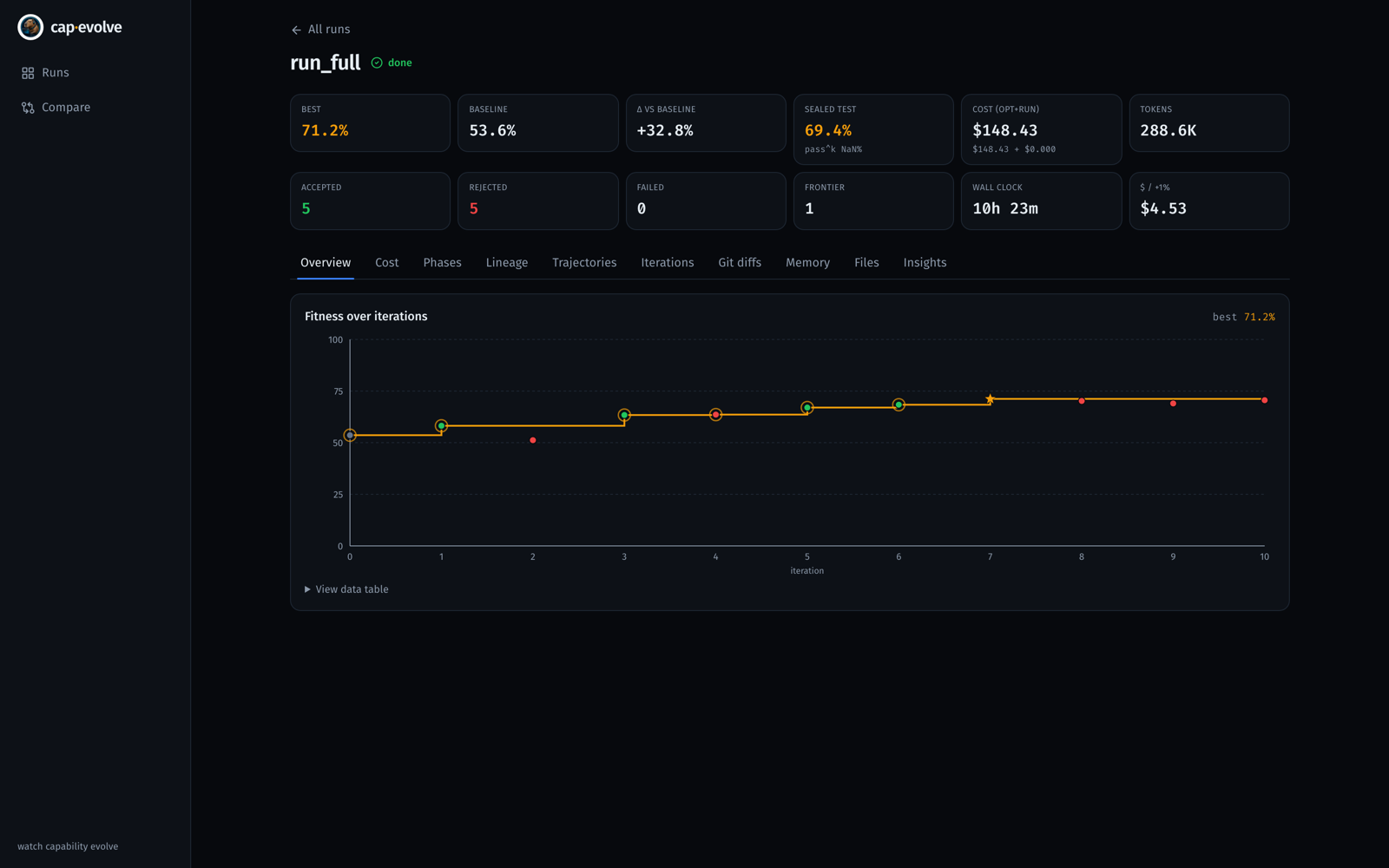
run.sh writes — KPIs up top and fitness climbing across iterations. (Shown here from a real benchmark run, not the toy.)Where to next
Take the same loop end-to-end on a real capability and eval, with a live optimizer and runner.
Wire the 3-method adapter to your agent + benchmark and let cap-evolve improve it.
Honest fit-metric and held-out numbers from real runs — baseline val → best val → sealed test.